


 $687.50 AUD
 $456.80 AUD
$572.90 AUD
$456.80 AUD
$572.90 AUD $399.00 AUD
 $649.00 AUD
$699.00 AUD
$649.00 AUD
$699.00 AUD $149.00 AUD
$199.00 AUD
$149.00 AUD
$199.00 AUD


inShaper is a waveshaper plugin for creative distortions designed to give music and post-production professionals interesting results, in a very simple and straightforward way.
Shaping Curve
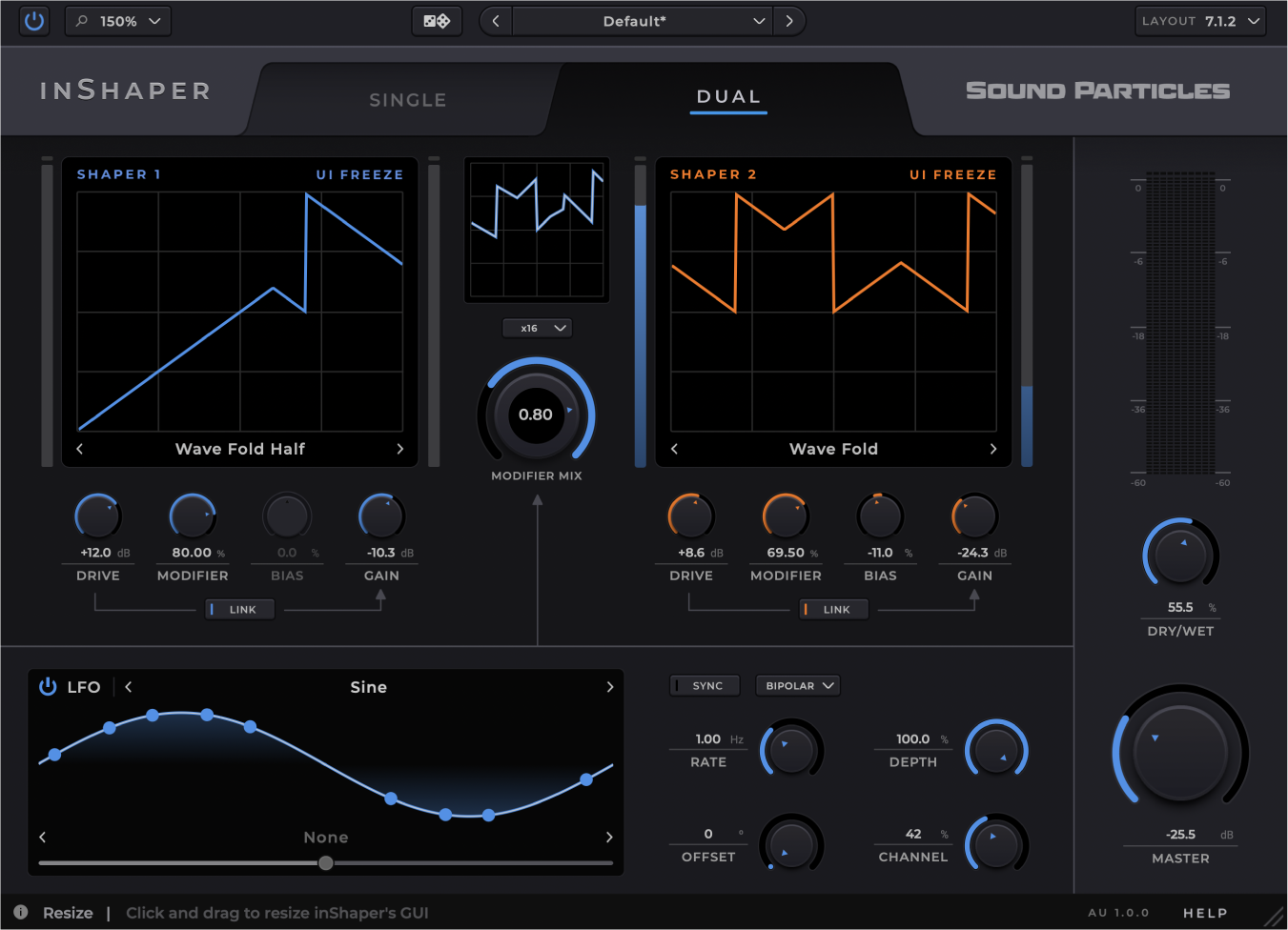
Shape and fold your signal, from subtle saturation to aggressive distortion.
+65 Curves
From wave folding to classic waveshaping, explore a wide range of distortion characters.
Full Control
Precisely control drive, gain, modifier, and even bias to create unique textures.
Dual-Waveform Engine
Select a single curve or blend two for richer, more dynamic textures.
LFO Modulation
Use an LFO to modulate drive, bias, gain, or the modifier for more expressive sounds.
Work with Space
Get interesting effects by applying different LFO offsets to each speaker.
Drive Linked to Gain
Add character, warmth, or punch while keeping output levels consistent by linking drive to gain.
LFO Curve Control
Shape your sound modulating endless LFOs. Evolve your distortions and keep them musical.
Multichannel Support
As usual, we support all major output formats, from mono to immersive formats like Sony 360RA.
Main Controls
Single vs. Dual Curve
LFO Modulation
Presets
Output Formats