



















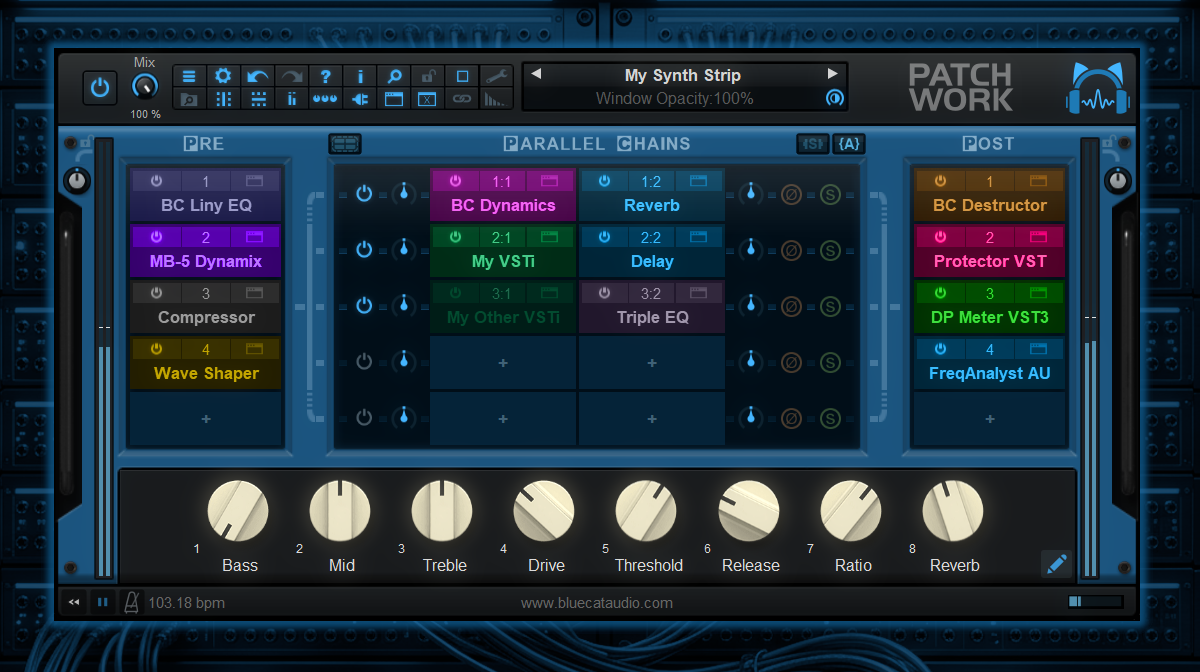

At Koala Audio, we love keeping you up to speed with the latest and greatest tools in the audio world. Today, our friends over at Blue Cat Audio dropped an exciting, feature-packed update for PatchWork, their industry-standard virtual patchbay and plug-in host.
If you already own PatchWork, we have great news: version 2.78 is a completely free update! This version brings some massive quality-of-life improvements designed to speed up your workflow, organize your collection, and keep your creative momentum going. Here is a breakdown of what’s new and why you should care.
Say Goodbye to Clunky Loading: The New Plug-In Scanner & Browser
If your plug-in library is getting a bit unruly, PatchWork 2.78 is here to save the day. It introduces a built-in plug-in scanner and browser. You can now scan all your third-party audio units and load them instantly from the plug-in menu. Even better, the new browser supports full-text search, allowing you to instantly type and find exactly what you need without digging through endless sub-menus.
AUV3 Support Arrives on macOS
For the Mac users in the room, PatchWork now includes official support for Audio Unit V3 (AUV3) plug-ins. As more developers adopt the modern AUV3 format on macOS, this update ensures that PatchWork remains the ultimate chameleon in your rig, bridging older formats with the future of Mac audio.
A Smarter, Faster Preset Browser
Finding the right starting point just got a lot faster. The preset browser has received a significant overhaul:
- Real-Time Typing: Search results now update instantly as you type.
- Smart Search (AND Logic): The browser now filters using "AND" logic instead of "OR" logic. If you search "Warm Delay," it will look for presets containing both terms, rather than anything that is just "Warm" or just "Delay."
- Full-Text Preset Searching: You can now search for keywords or even find presets that contain a specific third-party plug-in.
- Zero Interruption: Best of all, searches are performed in the background, meaning the user interface won't freeze up while PatchWork sifts through your library.
Workflow Tweaks & Bug Fixes
Under the hood, Blue Cat Audio has polished several mechanics to make your sessions smoother:
- Drag-and-Drop: Dragging a plug-in from your computer's file system into PatchWork will now automatically open its user interface.
- Better VST3 Performance: VST3 plug-in editors now only load when their UI is actively displayed, saving precious CPU and system memory.
- Audio Player Independence: The built-in audio player's play/pause function is no longer synchronized to your DAW host by default (though you can override this in your default user settings if you prefer the old way).
- Stability: A known crash involving the PolyTune plug-in when saved in a user default preset has been officially squashed.
Compatibility & How to Get It
Blue Cat’s PatchWork 2.78 remains incredibly accessible, boasting backwards compatibility for older rigs while fully supporting modern machines:
Mac:Intel or Apple Silicon running macOS 10.9 or newer.
Windows:PC running Windows Vista or newer.
Existing Users: You can download the 2.78 update immediately from the same private download link sent to you via email when you originally purchased the software.
New to PatchWork? If you’ve been looking for a powerful way to chain plug-ins, create custom parallel processing racks, or host plug-ins outside of your DAW, you can try out the free demo versions (available as standalone apps or various plug-in formats) over at www.bluecataudio.com.
What do you think of the new update? Will the new plug-in browser speed up your mixing workflow? Let us know in the comments below!