Search
Sold out

Sonnet Echo 21 Thunderbolt 5 SuperDock


Notify me when this product is available:

Thunderbolt 5

Tomorrow’s Performance. Today.

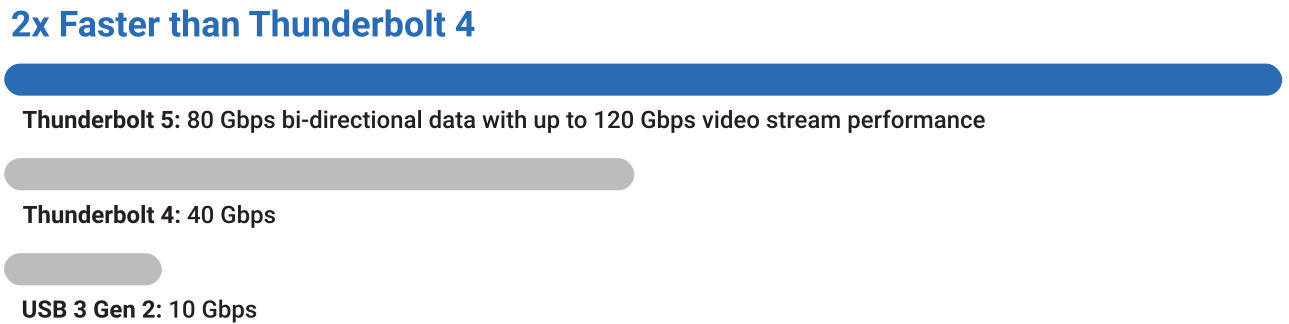
Performance numbers: 80 Gbps bi-directional data and up to 120 Gbps video stream performance.

How do you improve on the award-winning Echo 20 Thunderbolt 4 SuperDock? You double the bandwidth. You increase the power. You add the most-requested features.

Presenting the Echo 21 Thunderbolt 5 SuperDock — our most powerful and expandable dock ever — featuring superfast SSD internal storage capability and built-in 10GbE networking. Transform a single cable connection from your computer into two Thunderbolt 5 peripheral ports, one NVMe SSD slot, one 10Gb Ethernet port, nine 10 Gbps USB ports, two video output ports, and more! With 80 Gbps of bi-directional data speed — twice as fast as Thunderbolt 4 — and 120 Gbps for higher display bandwidth, you’ll revolutionize your productivity.

Thunderbolt 5 performance chart compared to Thunderbolt 4 and USB 3 Gen 2.

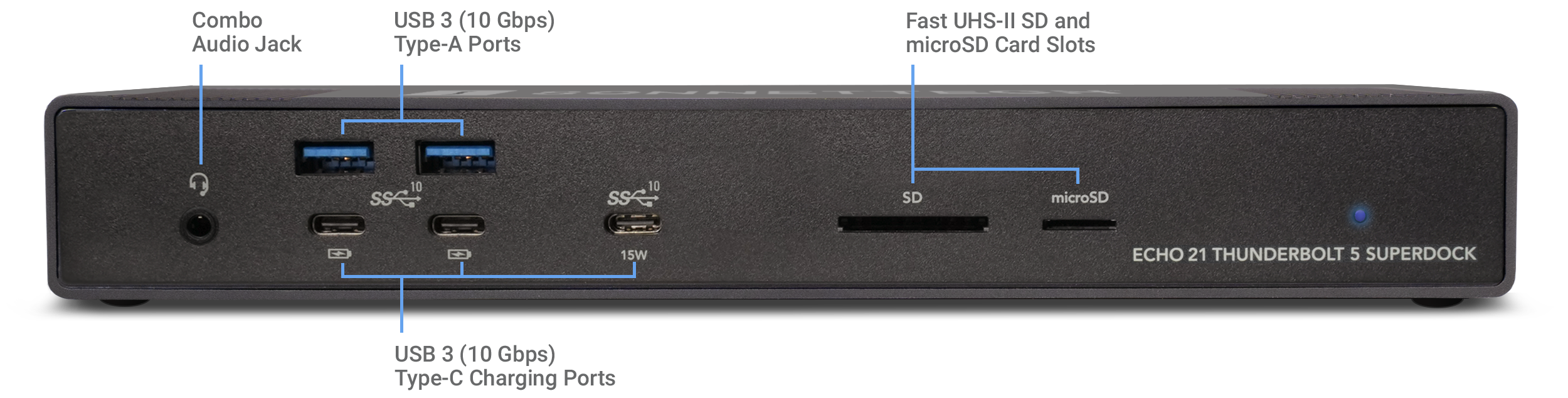
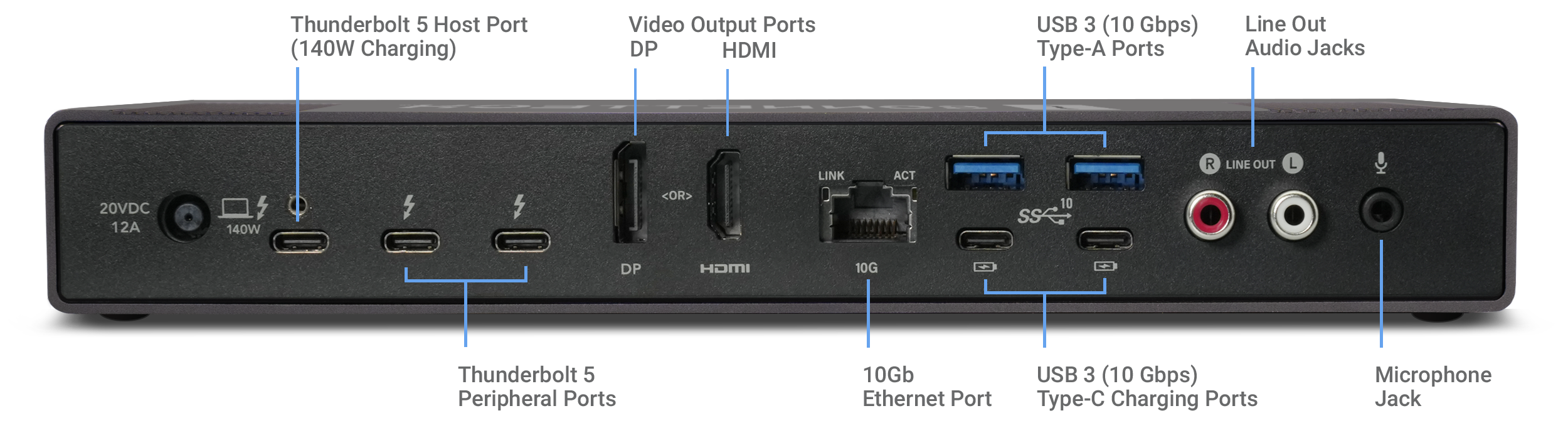
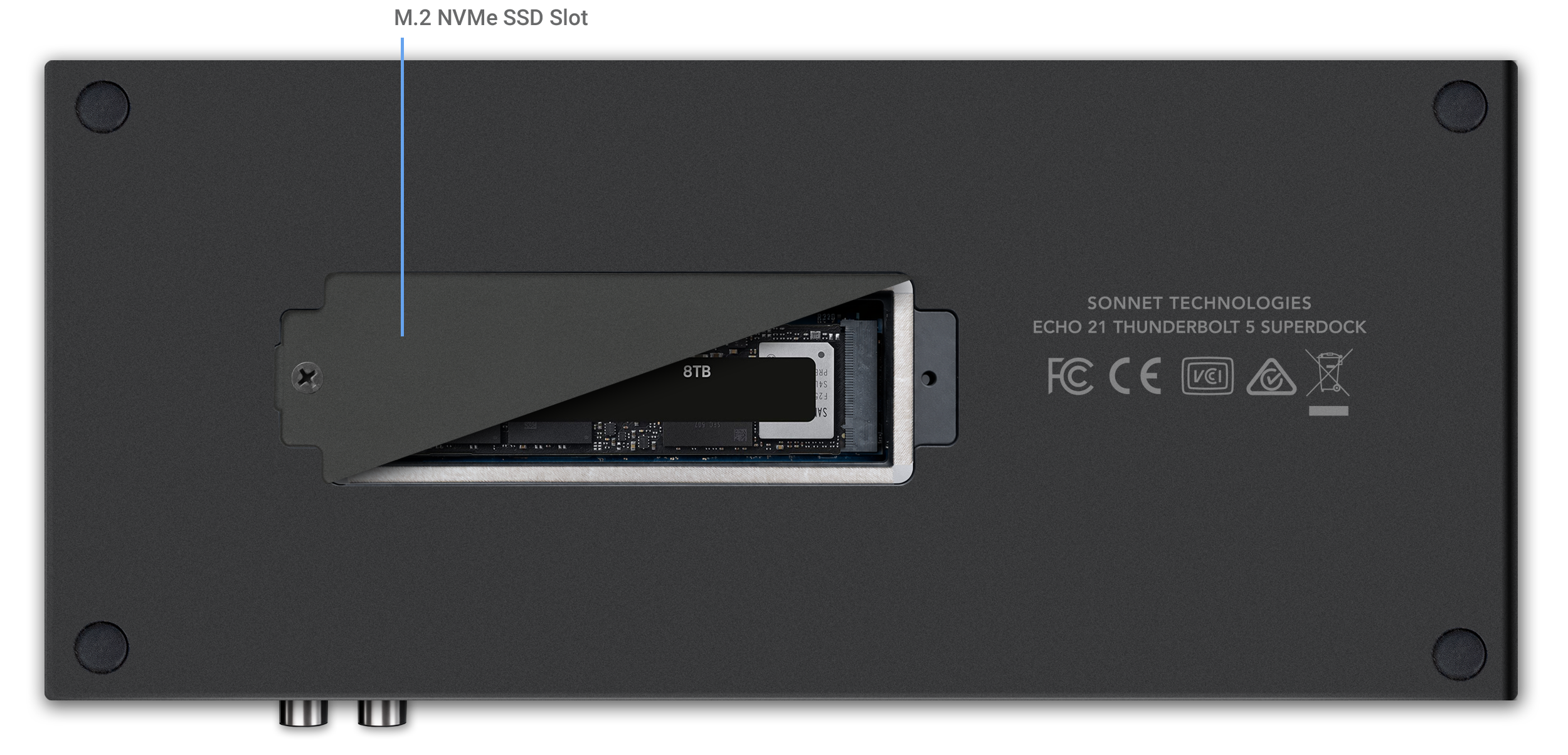
Echo 21 Thunderbolt 5 SuperDock front view and port locations.Echo 21 Thunderbolt 5 SuperDock back view with port locations.Bottom view of Echo 21 Thunderbolt 5 SuperDock SD socket location.
Thunderbolt 5 icon.
Thunderbolt 5 Interface
80 Gbps bi-directional data speed; 120 Gbps display bandwidth
Thunderbolt devices icon.
Connect Thunderbolt Devices
Attach two Thunderbolt 5, 4, or 3 peripherals
M.2 NVMe SSD icon.
SSD Storage
Install an M.2 NVMe SSD; add 8TB of 3300 MB/s storage!
10GbE Icon.
10Gb Ethernet
Link to an Ethernet network or NAS at 10 Gigabit speed!
140W computer icon.
140W Power Delivery
Connect and charge your laptop with up to 140W Power Delivery
HDMI and DP displays icon.
Direct HDMI & DP Display Support
Connect an HDMI display or DP display directly to the dock; no adapters required
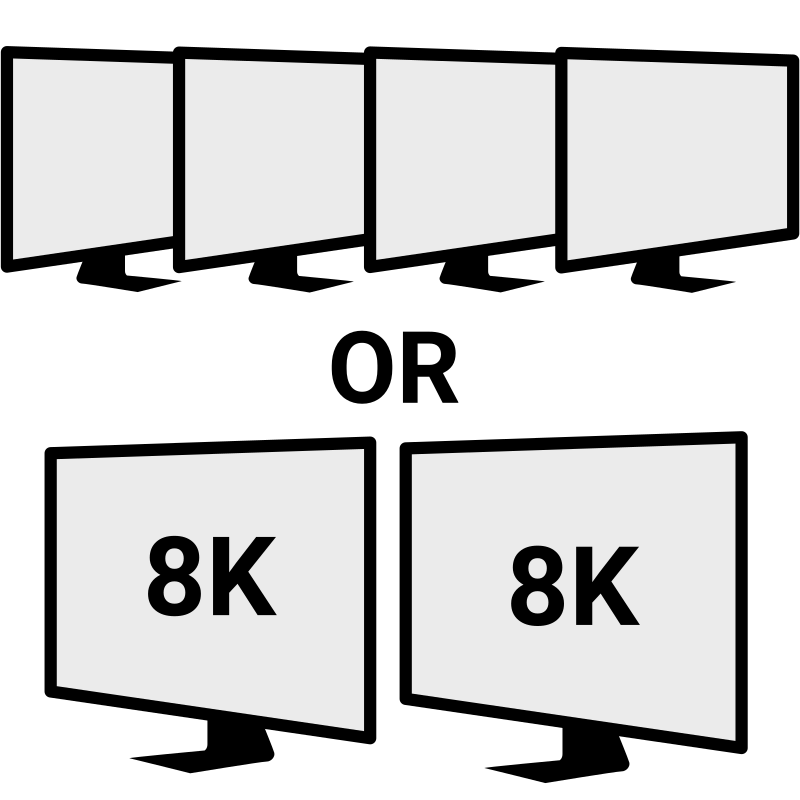
4K, 5K, 6K, 8K displays icon.
4K, 5K, 6K, 8K Support
Depending on your computer, supports up to four 4K, 5K, or 6K or two 8K* displays
USB 3 devices icon.
USB 3
Plug in as many as 11 USB 3 devices via USB and Thunderbolt ports
iPhone charging icon.
Device Charging
Charge your phone
Headset icon.
Headset
Plug in your headset (or headphones and a microphone) for high-quality audio
Powered speakers icon.
Powered Speakers
Connect powered speakers for rich, high-quality lossless audio
SD and microSD cards icon.
SD Cards
Read your SD and microSD cards

Search