


 $687.50 AUD
 $456.80 AUD
$572.90 AUD
$456.80 AUD
$572.90 AUD $399.00 AUD
 $649.00 AUD
$699.00 AUD
$649.00 AUD
$699.00 AUD $149.00 AUD
$199.00 AUD
$149.00 AUD
$199.00 AUD
Music players are built for listening. Capo is built for learning by ear. Slow down without losing quality, loop sections perfectly, restart from any note, detect chords instantly?everything you need to master songs is right there. Stop fighting your player. Start learning faster.
The best musicians train their ears by learning the songs they love. Capo makes this possible by analyzing any song in your music library to reveal its beats, chords, and key. No curated lessons, no prescribed curriculum—just you, your favorite music, and a tool that helps you hear what's really happening.
I have been wishing for this software for years. It's incredibly useful, whether I'm charting my own songs for the players who join me, or discovering exactly what is being played on a recording I love.
Capo has replaced all of my older "slow downer" applications for audio. The visual interface lets me use the features - pitch, key, speed, etc. - quickly to work out songs and guitar breaks. I LOVE LOVE LOVE how it syncs between my Mac, iPad and iPhone. I can prepare a track on my Mac and use it when teaching on my iPad.
BradPDX - US
Capo for macOS
I grew up dropping the needle over and over to learn guitar parts and solos. It was painstaking and difficult but that was the way we did it. Today, Capo makes the process of learning parts seamless and so easy — input the source material, take control of tempo, key, etc and set up regions for looping, all of which takes seconds to do. Amazing. Also a great tool for developing original music.
jazbeaux - US
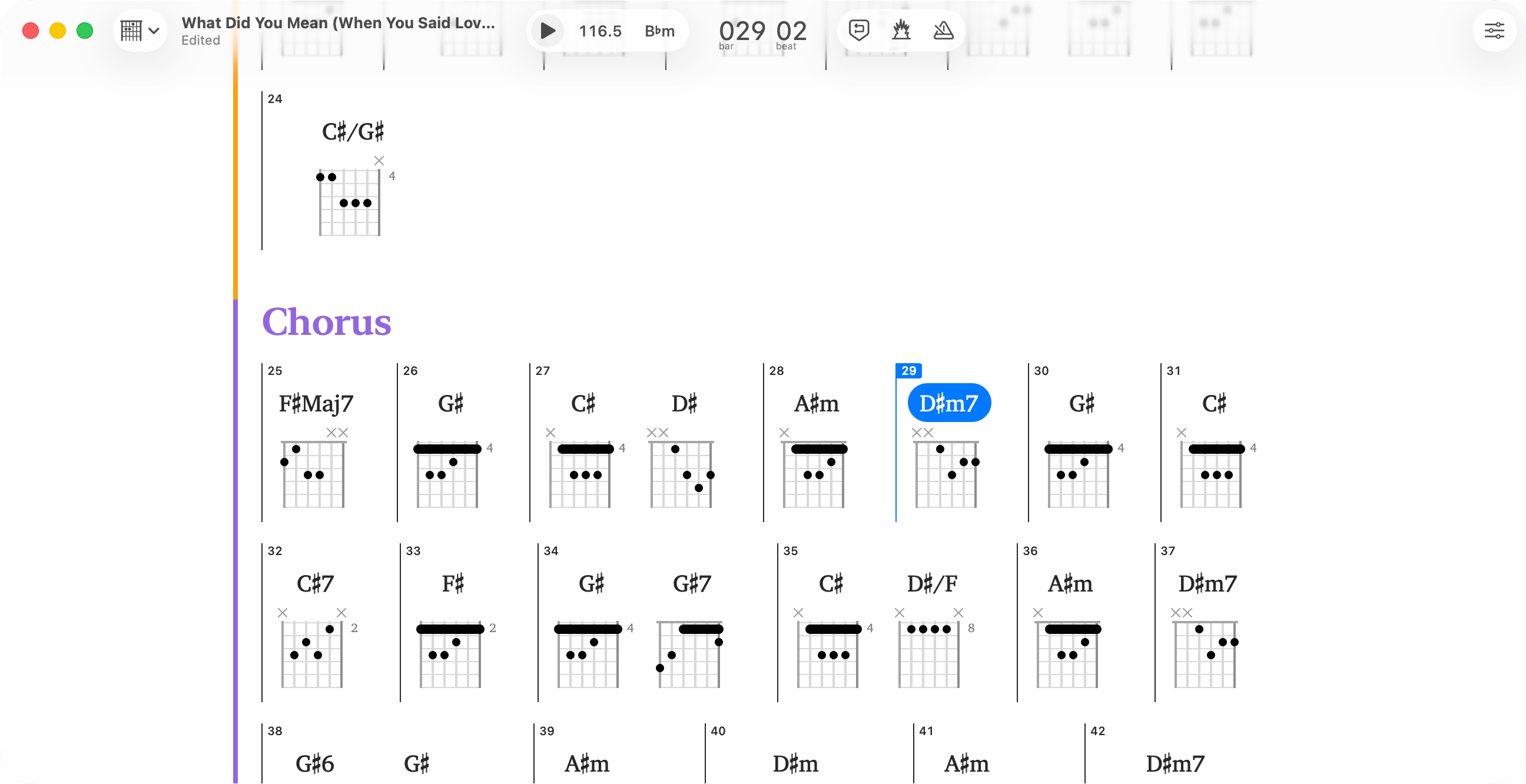
Start playing immediately—no more guessing
Load any song and Capo identifies the chord progression throughout the entire track. Get accurate results in seconds instead of hours of trial-and-error. The detection gives you a head start while you develop your ear—you'll naturally recognize patterns as you play along.
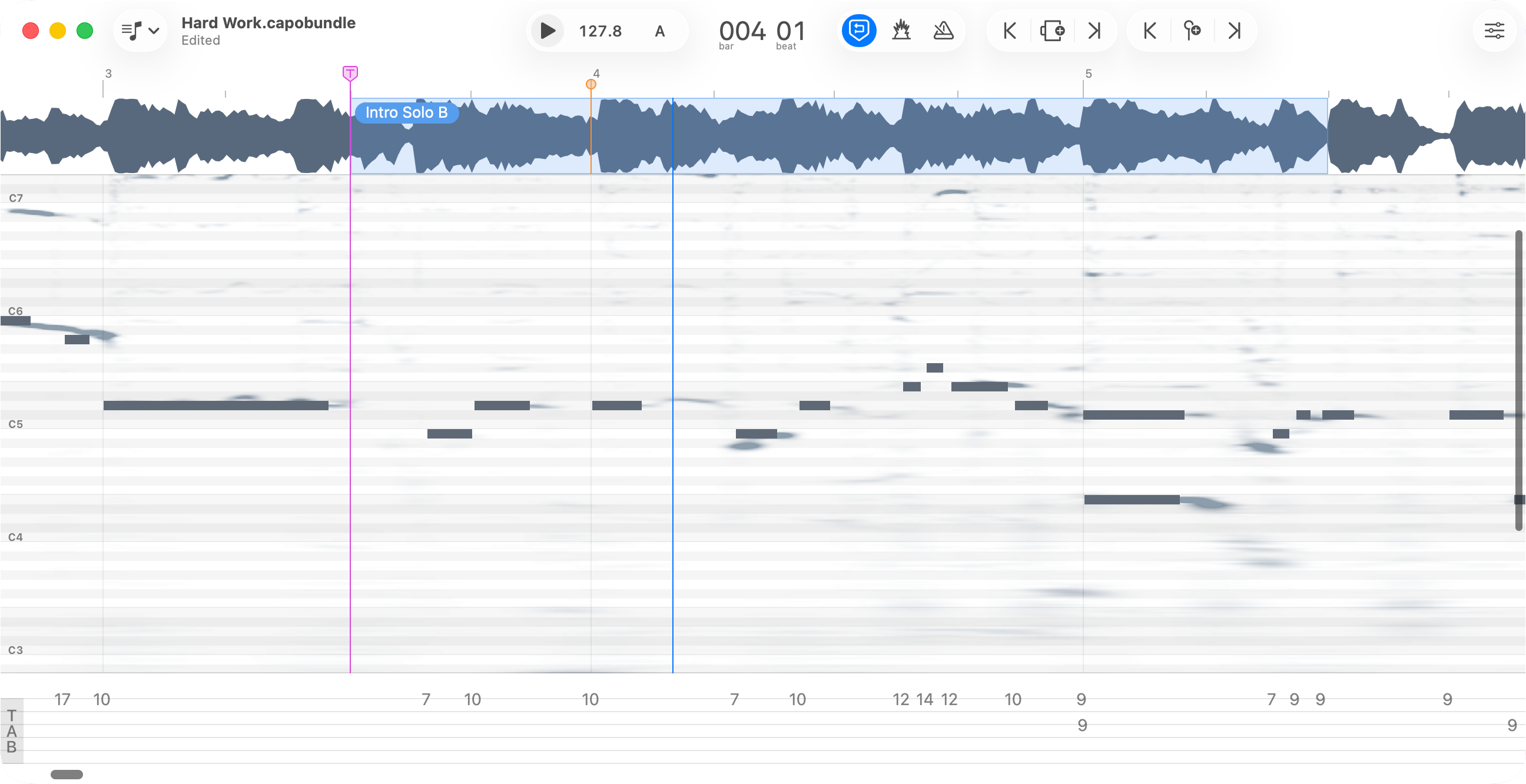
Identify notes by ear and verify what you heard
Carefully scrub through audio to hear individual notes clearly. Draw what you hear onto the spectrogram, and Capo plays it back so you can compare your interpretation with the recording. See bends, slides, and vibrato that help you capture the real technique—and as you draw, tablature is generated automatically below.
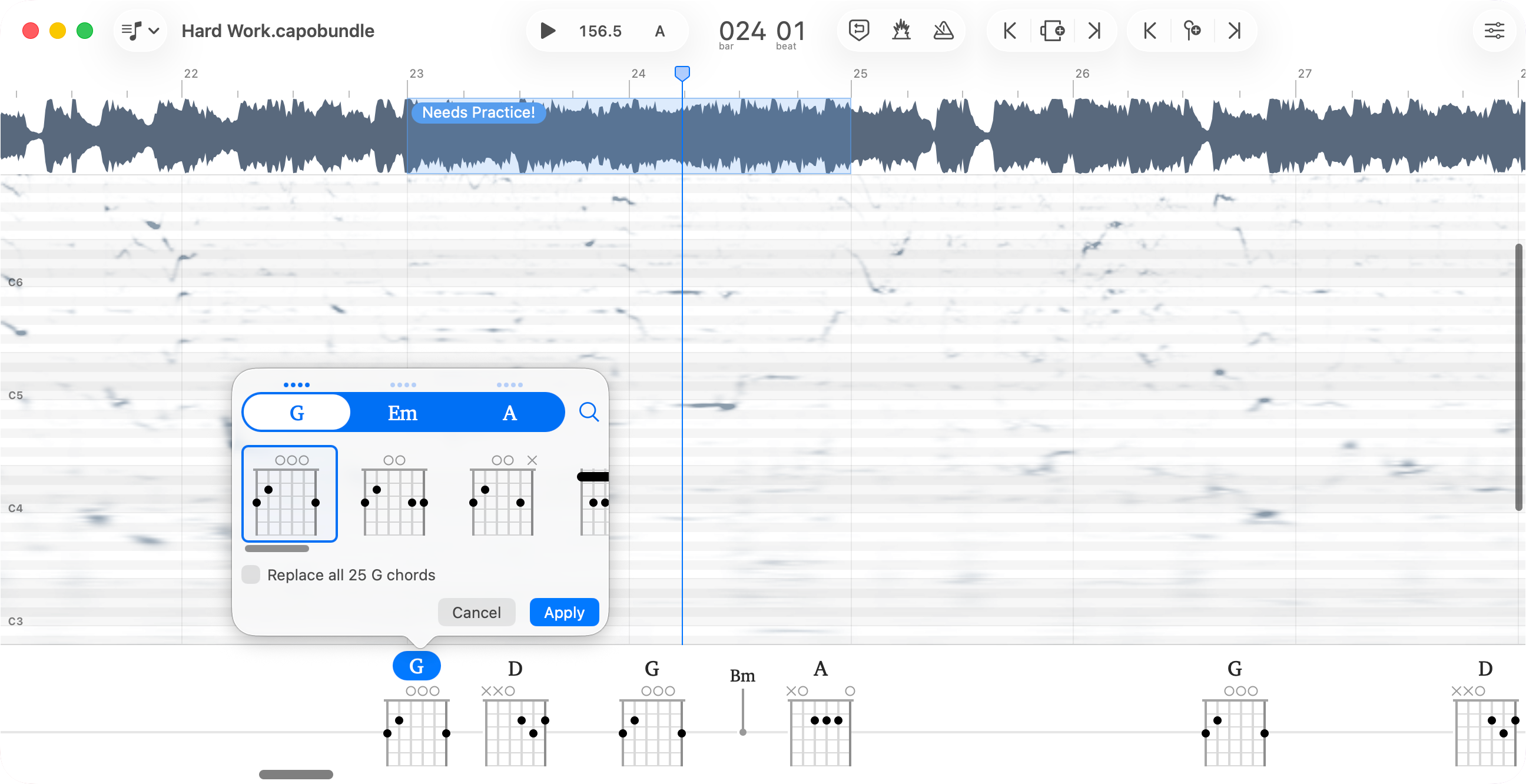
The detection gets you 90% there—you finish the job
Capo's chord detection is accurate, but not perfect. Sometimes it's overly specific, sometimes not specific enough. Simplify a complex extension, add nuance that was missed, or choose a voicing that better fits your playing. Every chord is editable—the automatic detection saves you hours, then you fine-tune exactly what you need.
Adjust playback from 25% to 150% speed without changing pitch, and freeze audio to isolate individual notes. When fast solos and complex passages fly by too quickly, slow them down to hear every detail at your own pace.
Transpose any song to a comfortable key and all chord diagrams update automatically. Match your vocal range, avoid awkward fingerings, or accommodate other instruments—without having to figure out the new chords yourself.
Capo's beat detection automatically finds bars and beats, so you can create looping regions that snap perfectly to the measure. Practice challenging passages endlessly with beat-perfect loops—build muscle memory without awkward cuts or timing issues disrupting your flow.
Control playback, looping, and speed without touching your mouse or trackpad. Map MIDI pedals or keyboard shortcuts to keep your hands on your instrument while you practice—no more breaking your flow to reach for controls.
The transcription playhead stays exactly where you place it, letting you focus on one phrase at a time without fiddling with controls. Hit play, listen, stop—it always starts from the same spot. No hunting for your place, no losing your flow. Since you can only hold a few notes in working memory at once, this approach helps you master complex passages methodically instead of getting overwhelmed.
Capo adapts to how you work. The Chords view displays your song as a chart—perfect for playing along. Switch to Tabbing for the spectrogram when you need to transcribe solos note-by-note. Use Structure view to see and navigate song sections at a glance. Or stay in Practice view for streamlined playback control. Each view gives you exactly what you need for that moment, nothing more.