



















You can have the perfect tracklist, every song in key and every tempo matched, and a mix can still fall flat. The usual culprit is phrasing: bring a track in halfway through a vocal line or eight bars before the drop and the whole transition feels clumsy, even if the beats are locked.
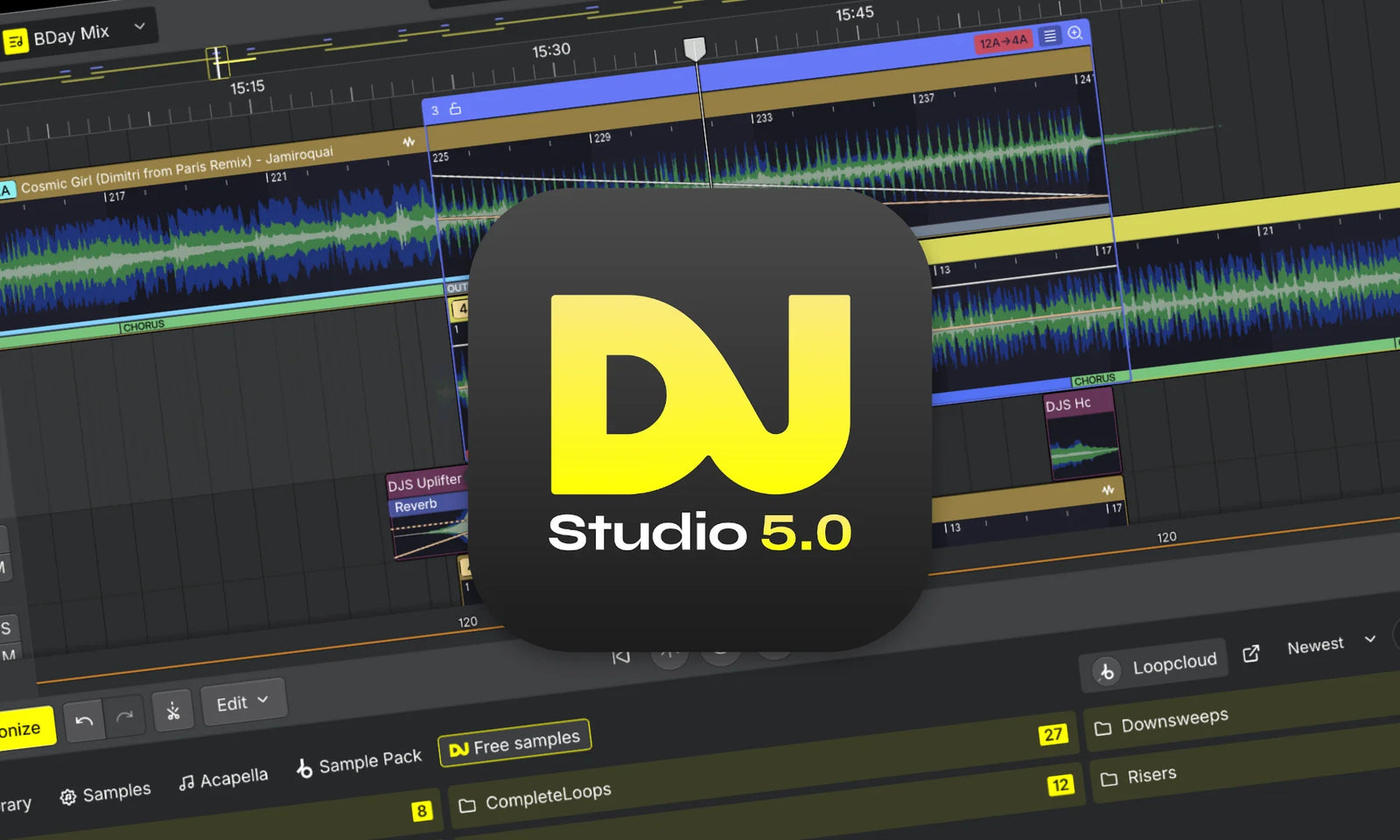
DJ.Studio 5.0, released on 11 November 2026 for Windows and macOS, goes straight after that problem. The DJ-focused DAW now detects the phrases in every track and snaps your transitions to them, and it sits on top of a rebuilt audio engine that makes exporting a finished mix much quicker.
Let's dive into what makes this a game-changer for mix-building.
Phrase Detection: Transitions That Land on One
The headline feature in 5.0 is phrase detection. DJ.Studio analyses each track and marks out its sections, such as intro, chorus and outro, directly on the waveform. You can see at a glance where a track is safe to mix in, and the Studio editor snaps transitions to those phrase boundaries. If the analysis gets a section wrong, you can edit the phrases manually.
That phrase awareness also flows into Harmonize, the feature that orders your tracklist by key and BPM. It now starts transitions on a phrase, offers Mood or Fuzzy key mixing and descending tempo ordering, and lets you adjust mix-in points visually. For anyone building long mixes, radio shows or podcast sets, that is a lot of manual counting you no longer have to do.
Smart Beatgrid and a Rebuilt Core
Phrasing only works if the grid is right, so DJ.Studio has also introduced a Smart Beatgrid. It finds the first beat more precisely, stays locked when a track's tempo drifts (handy for older records and live-played tracks), and supports half- and double-tempo.
The other big change is under the bonnet. Version 5.0 runs on a new, native audio engine written in C++ that uses less CPU and memory. Exports are up to three times faster than version 4, with DJ.Studio saying a 60-minute mix can be ready in under three minutes. That makes a real difference if you are rendering several versions of a set for different platforms.
One Library for Every DJ Platform
DJ.Studio has always been about working with the software you already use, and 5.0 extends that. You can import tracks and playlists from rekordbox, Serato DJ Pro, Traktor, Engine DJ, djay Pro, VirtualDJ and Mixed In Key, then export finished sets back out with cue points and Smart Beatgrids intact. Set export to Traktor and Engine DJ is new in this release. There is also MixMeister project import, which brings across transitions, tempo and volume curves, cue points and effects, a welcome bridge for anyone who built years of mixes in that software.
Key Features and Specs
- Phrase detection: automatically marks intros, choruses, outros and more on the waveform, with snapping and manual editing.
- Harmonize upgrades: key and BPM ordering that starts transitions on a phrase, with Mood or Fuzzy key mixing.
- Smart Beatgrid: more accurate first-beat detection that stays locked through tempo drift, with half- and double-tempo support.
- New audio engine: native C++ core using less CPU and memory, with exports up to 3x faster than v4.
- Mashup tools: built-in stem separation, up to 10 sample lanes and an updated Input Lane for voice-overs.
- Library and export: import from and export to rekordbox, Serato DJ Pro, Traktor, Engine DJ, djay Pro and VirtualDJ, plus audio, video and Mixcloud export.
- Interface: redesigned library with Smart Playlists, RGB waveforms, markers and light and dark modes.
- Platforms: Windows and macOS.
See It in Action
If you build mixes in the studio rather than performing them live, or you want to prep sets with better structure before they hit the decks, DJ.Studio 5.0 is a big step up. Phrase detection alone takes care of one of the most time-consuming parts of mix-building.
Ready to give it a go? Shop DJ Studio at Koala Audio.